Define scenes before screens
Start with the situations the room must support: welcoming guests, beginning a presentation, exploring interactively, pausing and leaving. Each situation may involve lighting, projection, playback, audio and ventilation. A scene describes the intended state of that collection, rather than exposing every device as an equally important button.
Write the sequence in ordinary language before designing the interface. For example, a welcome scene might establish comfortable entry lighting while the image system prepares. The next action becomes available when the necessary equipment is ready. This makes dependencies visible to the integrator and keeps the homeowner's task focused on the experience rather than the machinery.
Distinguish a command from a confirmed state
Sending a power command does not prove that a projector is ready. Likewise, selecting a soundtrack does not establish that every audio component is available. Where equipment supports feedback, use it to show meaningful status. Where it does not, document the limitation and design a clear way to recognise an incomplete start.
Useful status language explains the next step: preparing, ready, paused or attention needed. Avoid a decorative loading animation that never clarifies what is happening. Errors should identify an appropriate user action without encouraging guests to enter engineering menus. A simple room can still be honest about the time and conditions its equipment needs.
Give pause and exit their own logic
Pause is not always the same as stop. It may hold an image, reduce audio and restore a low orientation light while preserving the current programme. Exit may end playback and return the room to a comfortable state before equipment completes its shutdown sequence. Decide these behaviours explicitly rather than inheriting whatever individual devices happen to do.
Keep essential lighting and safe egress independent of a successful show sequence. A failed tablet or media server should not leave occupants dependent on troubleshooting to find their way out. Qualified designers must determine the applicable safety provisions; a home-automation scene is not a replacement for them.
Integration note: write a small state table
For each scene, list the intended lighting, image, audio and equipment state. Add the conditions for entering it, the user-visible status and the recovery action if a dependency fails. This document is more useful than a collection of unlabelled interface screenshots.
Plan for imperfect days
Networks disconnect, software changes and devices need replacement. A robust brief asks what happens when the internet is unavailable, the control tablet is flat or a playback computer does not start. Identify which functions can operate locally and which genuinely depend on an external service.
Provide an owner-level recovery path and a separate service-level procedure. The owner should know how to restore room lighting, stop a programme safely and contact the responsible specialist. The technician needs configuration backups, device records and a clear account of the installation. Neither audience benefits from one enormous manual that assumes everybody has the same knowledge.
Protect the technical layer
The household network and the planetarium's control network need an intentional relationship. Discuss remote support, account ownership, updates and access permissions with the integrator. Avoid shared default passwords and undocumented remote-access arrangements. The owner should understand who can connect and how that access can be withdrawn.
Content libraries and control configurations deserve backups, but backup files are useful only when someone knows how to restore them. Establish ownership of project files, licence credentials and documentation before handover. Record which software versions belong to the approved configuration so that a routine update does not become an unexplained change in behaviour.
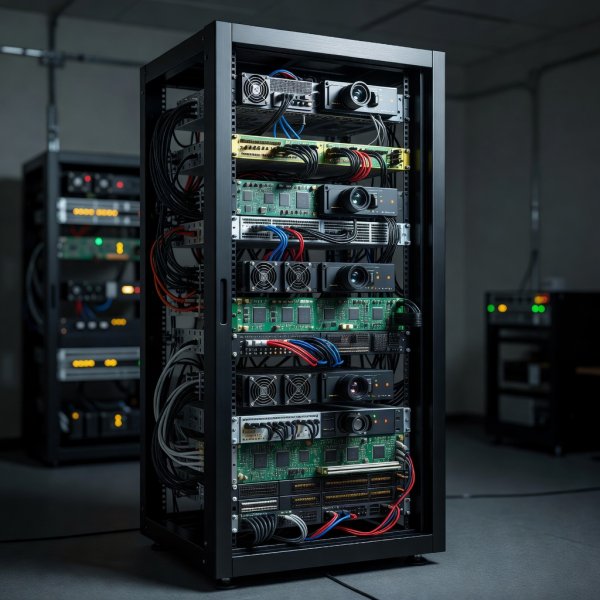
Simple outside, documented inside
A clean interface rests on a technical layer that remains identifiable and serviceable. Label connections and maintain an equipment inventory.
Commission with the people who will use it
Test normal sessions, interruptions and recovery with the intended users. Ask a guest to find pause without coaching. Ask the owner to begin a session from a cold start. Observe whether the interface explains readiness and whether physical controls remain easy to locate in reduced light.
Handover should include a short operating guide, a service contact, a maintenance schedule and an agreed record of outstanding limitations. A premium experience is not defined by how many controls disappear. It is defined by how confidently people can use the room, understand its state and recover when something does not go to plan.